
Key Takeaways
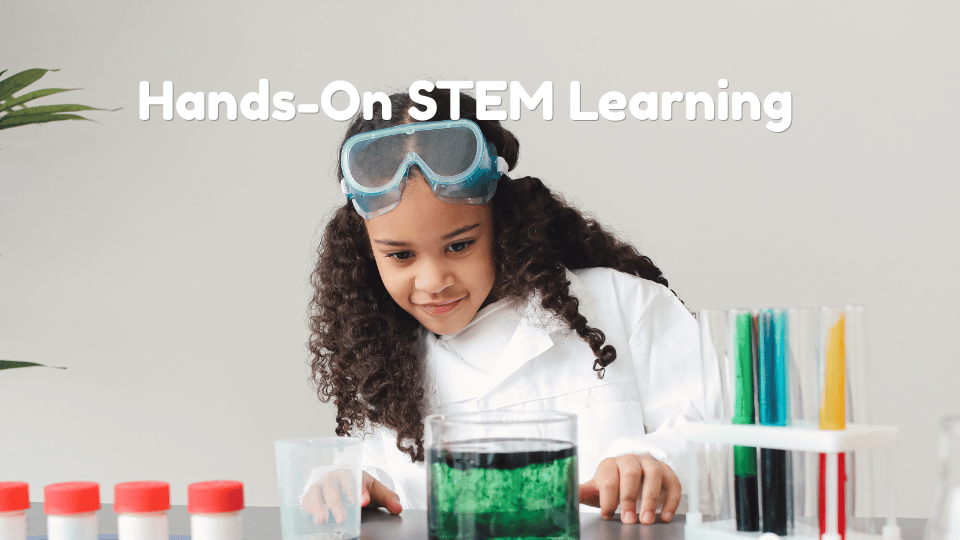
- Hands-on STEM activities give children a chance to test ideas, make adjustments, and observe results.
- Virtual reality can add useful context by making distant or hard-to-access places easier to explore.
- Digital experiences are most valuable when they lead to building, discussion, measurement, or reflection.
- Strong STEM learning can begin with everyday materials, a focused question, and time for a second attempt.
- Open-ended questions help learners explain their thinking rather than waiting for an adult to provide all the answers.
Table Of Contents
- Introduction
- Why Hands-On STEM Works
- Where Virtual Reality Fits
- The Best Combination: Physical And Digital
- How To Plan A Strong STEM Activity
- Age-Appropriate Activity Examples
- Questions That Build Better Thinking
- Common Mistakes To Avoid
- How To Measure Learning
- A Simple STEM Checklist
- Conclusion
Curiosity grows when children can do more than memorize an answer. They need opportunities to notice a problem, make a prediction, try a solution, and decide what to change next. Families, teachers, and youth leaders can shop science kits for kids at Abacus Brands or gather simple supplies at home, but the most important ingredient is an activity that invites learners to think and experiment.
In 2026, virtual reality can make STEM topics feel more immediate by placing learners in a simulated environment they could not easily visit in person. Used thoughtfully, it can support a larger learning experience that includes real objects, conversation, creativity, and evidence-based reasoning.
Why Hands-On STEM Works
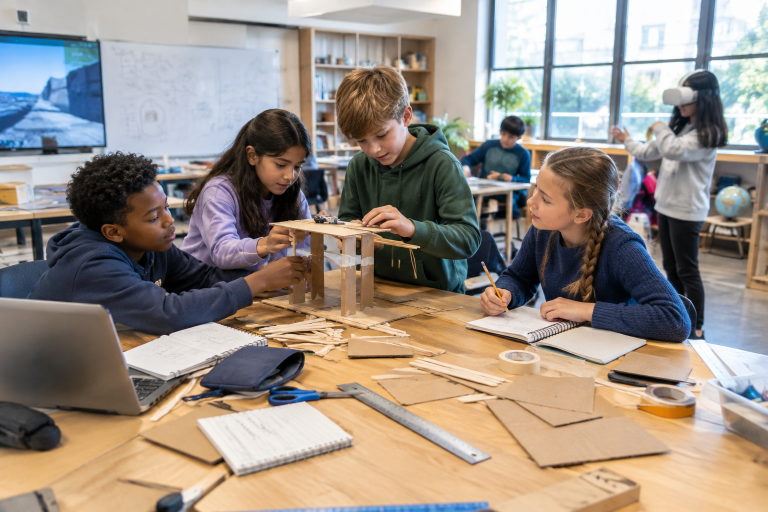
Hands-on learning turns an abstract idea into a process a child can see and influence. Building a bridge from paper, craft sticks, or cardboard creates a reason to consider balance, weight, length, and structure. If the bridge bends or collapses, that outcome is not simply a wrong answer. It is information the learner can use to improve the design.
This process supports core STEM habits: observing carefully, comparing results, revising a plan, and explaining why a change may work. Expensive equipment is not required. A ruler, recycled materials, tape, cups of water, blocks, and a notebook can create meaningful opportunities for measuring, sorting, designing, and testing.
Where Virtual Reality Fits
Learners can explore a topic through computer-generated environments that create an immersive experience, often through a headset or projected display. For learning, its main value is context. A child can look around a coral reef, examine a spacecraft setting, or observe an extreme landscape before asking questions about what they saw.
VR should not replace direct experience. Instead, it can introduce a topic that learners later investigate with physical materials. After a virtual reef visit, for example, learners might classify animals by habitat, build a reef model, or discuss why healthy reefs matter. NOAA explains that reefs support diverse ecosystems and that many species rely on them for survival, giving the activity a meaningful real-world connection.
The Best Combination: Physical And Digital
The strongest activities use technology as one stage of a larger learning cycle. A short virtual experience can prompt questions, but a hands-on task gives learners a chance to apply what they noticed.
- Preview: Introduce one clear question, such as, “How do structures stay stable?”
- Experience: View a simulation, inspect an object, or watch a short demonstration.
- Discuss: Ask learners what they noticed, expected, or found surprising.
- Apply: Build, test, sort, draw, measure, or model an idea.
- Reflect: Have learners explain what changed after testing their first plan.
How To Plan A Strong STEM Activity
Before choosing a kit, app, or headset, start with the learning goal. A focused challenge is often more useful than an activity that tries to cover many ideas at once.
- Choose one main concept: Focus on topics such as force, habitats, patterns, or insulation.
- Start with a question: Ask something learners can predict and investigate.
- Use accessible materials: Select safe items that are appropriate for the group’s age and setting.
- Leave room for revision: A second attempt is where much of the learning happens.
- Offer more than one way to participate: Provide drawing, discussion, observation, or non-headset options when needed.
- End with evidence: Ask what learners saw, measured, changed, or concluded.
Age-Appropriate Activity Examples
Early Elementary Learners
- Build a paper shelter that protects a small toy from a light spray of water.
- Use a virtual animal habitat as a prompt to sort pictures of food, shelter, and movement.
- Create and extend patterns with blocks, beads, leaves, or buttons.
Upper Elementary Learners
- Compare a virtual ecosystem with observations from a local park or backyard.
- Design a device that moves a small object across a table without touching it directly.
- Keep a science journal with predictions, results, measurements, and changes.
Middle School Learners
- Explore an extreme environment virtually, then create a model shelter designed for its conditions.
- Test materials for strength, heat transfer, sound reduction, or movement.
- Present a design with a labeled diagram, measurements, evidence, and a short explanation.
Questions That Build Better Thinking
Adults can support learning without taking control of the challenge. Instead of immediately correcting an error, use questions that help children assess their own work.
- What do you notice first?
- What do you think will happen next?
- What evidence supports that idea?
- What could you change?
- Which part worked best?
- How could someone else test the same idea?
Common Mistakes To Avoid
- Using technology without a learning goal: A headset should serve the activity, not become the entire activity.
- Making the challenge too difficult: Give learners a clear starting point and manageable materials.
- Skipping the physical task: Watching a simulation is different from testing an idea.
- Giving away the answer too soon: Predictions and productive mistakes build confidence.
- Ignoring comfort and access: Offer breaks and alternatives for learners who do not want to use immersive tools.
How To Measure Learning
Assessment does not need to feel like a formal test. Evidence of learning can be a labeled drawing, a brief explanation, a comparison between the first prediction and final result, or a note describing what the learner would change next time. A short checklist can also track whether learners tested an idea, used evidence, worked with others, and explained their choices.
A Simple STEM Checklist
- Does the activity begin with a clear question?
- Can learners build, test, sort, measure, draw, or create something?
- Does every digital tool have a specific purpose?
- Is there more than one way to participate?
- Can learners make a prediction before receiving an explanation?
- Is there time for revision and reflection?
Conclusion
Hands-on STEM learning gives children a reason to ask questions and act on their ideas. Virtual reality can add perspective by making unfamiliar environments easier to explore. Together, these tools can create memorable learning experiences when they include making, testing, talking, and revising. The goal is not more technology. It is deeper curiosity and stronger thinking.


